




With World Cup traffic significantly increasing arrivals into Canada, CBSA has launched a pilot program allowing BizAv and GA operators to submit a PDF form up to five days before arrival.
Calling CANPASS is a familiar pastime for many pilots operating into Canada. Traditionally, pilots are required to call 2-48hrs prior to their arrival to preregister crew and pax details with CBSA. Depending on how busy the call centre is, this can sometimes take “a while”. It’s also quite arduous to have to pass all of the personal particulars of crew and pax over the phone.
But now, some of that burden can be alleviated by a simple PDF.
If you want to take part, it’s open to all. So first thing, download this PDF. It seems to only open properly in Acrobat, nothing else. So if you use Acrobat to open it, it should look like this:
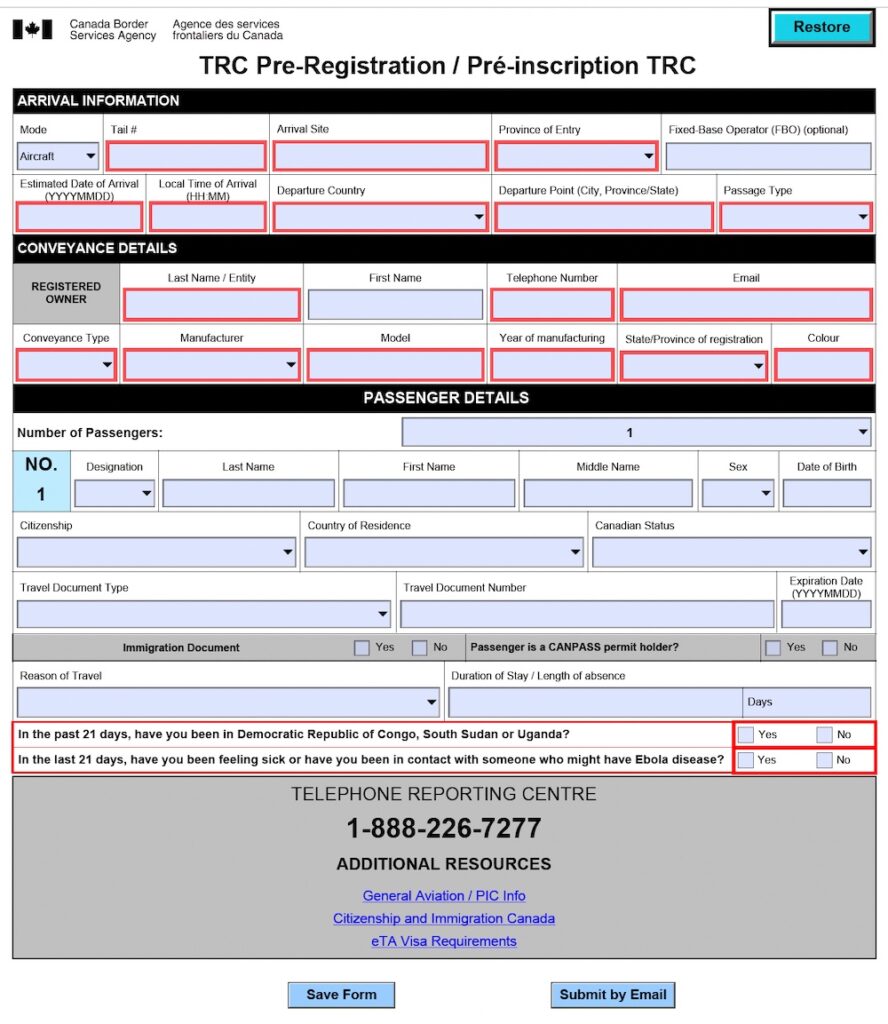
If you try to open it with another program, it’ll probably look like this:
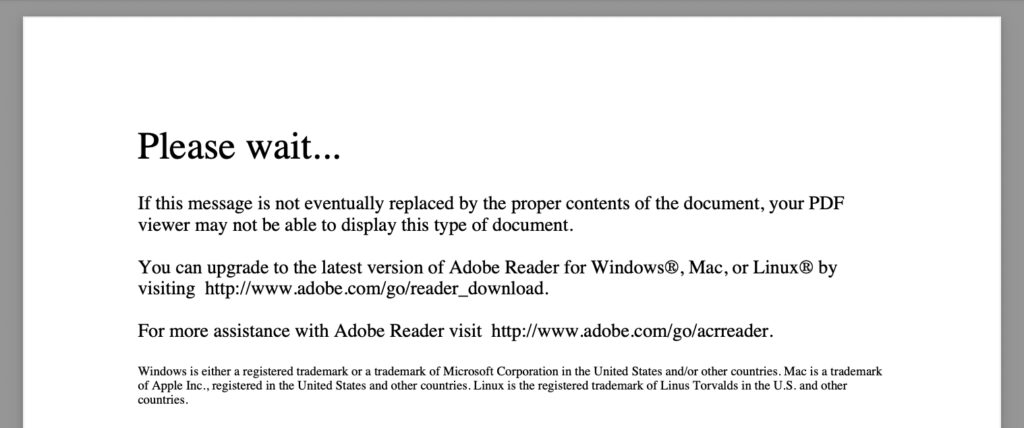
(and then you’ll have to do what we did and download Acrobat to make it work!)
Once you’ve filled it in, there’s a button at the bottom that says “Submit by Email”. You can do that, but it might start an annoying chain reaction where your computer tries to open the default Mail app and you get stuck in an infinite loop of frustration. Probably easier to just click “Save Form” to PDF, and then manually email it to CBSA at this address: trc_preregistration_inscriptionprealable_crt@cbsa-asfc.gc.ca
A few other things to keep in mind:
- The form is only a pre-submission. It allows you to provide the personal details that typically take the most time over the phone, including names, passport details and dates of birth for crew and passengers. Once submitted, the form is sent via email and you should receive a confirmation email from CBSA.
- You must still call CANPASS between 2-48hrs before arriving in Canada. But this call should be considerably quicker, as you’re only confirming that the info previously submitted remains accurate and that there have been no changes.
- You must still call CANPASS after landing to determine whether you can proceed with disembarkation or if you need to wait for CBSA officers to attend the aircraft.
- Keep a copy of all crew and pax details readily available in case CBSA asks you to verify any information during either call.
The trial program is currently scheduled to run until 19 July 2026. The more operators who participate, the more useful feedback CBSA will receive when deciding whether to make the program permanent!
You can download the CBSA Pre Registration Form here.
CANPASS:
Within Canada: 1-888-226-7277
Outside Canada: +1-905-679-2073
You can also visit the CBSA General Aviation Reporting website here.

More on the topic:
- More: Canada ADS-B Mandate
- More: Canada Airport Options Up North
- More: Canada: The AGN and what to do with it
- More: Please CAN you PASS the info?
- More: Canada to reopen more airports to international flights
More reading:
- Latest: Could Starlink be the answer to GPS interference?
- Latest: Burdensome new Ebola rule will affect every US-bound flight
- Latest: Seletar 2026: New Corridors, New Procedures
- Safe Airspace: Risk Database
- Weekly Ops Bulletin: Subscribe
- Membership plans: Why join OPSGROUP?



 Get the famous weekly







Am I right.. I checked the Form and there is only space for 2 Pax?
Open Adobe Reader or Adobe Pro. Goto “File”, then “Open”, then paste this link into the Filename search block, https://ops.group/blog/wp-content/uploads/2026/06/TRC-Pre-Registration_RE0527.pdf
Works for me.
Does anyone have the email address it needs to be sent to? When I select the “Submit by Email” button at the bottom of the completed form, I get a message saying I need to set up “Mail” in Microsoft. When I open “Mail’ in Microsoft, it says that it is now “obsolete” and everything will be exported to my “Outlook” app. I routinely use Outlook all day…but I can’t get the form to recognize that the automatic email reply needs to run through Outlook and not Mail. I’ve saved the completed form…but I can’t find where I can send it directly without using the broken link in the button at the bottom.
Thanks for helping if anyone knows!
trc_preregistration_inscriptionprealable_crt@cbsa-asfc.gc.ca
I called CBSA and asked, and they told me it was the email address that would come up in a web search for CBSA Pre-Registration form email address. The email that came up is trc_preregistration_inscriptionprealable_crt@cbsa-asfc.gc.ca. I can understand why they didn’t want to spell it out for me over the phone.
I sent a form off to that address and received an automated response thanking me for preregistering my information with the CBSA Telephone Reporting Centre, and reminding me that I still need call the TRC sometime 2-48 hours prior to arrival in Canada.
No matter what I try I cannot get that form to load. It won’t help my department, nor CBSA, if CBSA can’t provide their proffered PDF form in a manner that can be used.
I’ve updated my Adobe browser extensions, I’ve re-signed back up for Adobe’s premium services, but no matter WHAT I try I simply cannot get anything but that “Please wait…” screen.
Maddening.
This is a big step forward for the crew as this will most likely reduce their waiting time. At the same time, two big steps backwards for the person filling the form…. With the existing fax form, you could easily pull data from your flight scheduling system, put it on the fax form and fax it into this big black hole of CANPASS. CBSA should really step up the game with the way flights under CANPASS are being announced. Pretty much any other authority, requiring flight, crew & pax details in advance, have systems in place to support all kinds of different formats to provide data. For example, US CBP is miles and miles ahead of CBSA!